
urllib的使用
请求模块(request)
urlopen()
urlopen方法用于模拟向网站发送请求
实例:
#!/usr/bin/emv python
# -*- coding:utf-8 -*-
# author m77 time:2020/2/10
import urllib.request
response = urllib.request.urlopen('https://www.python.org')
print(response.read().decode('utf-8'))
运行结果为python官网源代码,调用read()方法可以返回指定内容
※ timeout参数
实例:
#!/usr/bin/emv python
# -*- coding:utf-8 -*-
# author m77 time:2020/2/10
import urllib.request
import  socket
import urllib.error
try:
    response = urllib.request.urlopen('http://httpbin.org/get',timeout=0.1)
except urllib.error.URLError as e:
    if isinstance(e.reason,socket.timeout):
        print('TIME OUT')
运行结果:
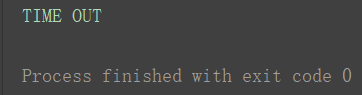
小结:timeout常用于异常处理
Request类
实例:
#!/usr/bin/emv python
# -*- coding:utf-8 -*-
# author 7z time:2020/2/10
import urllib.request
request = urllib.request.Request('https://python.org')
response = urllib.request.urlopen(request)
print(response.read().decode('utf-8'))
运行结果:
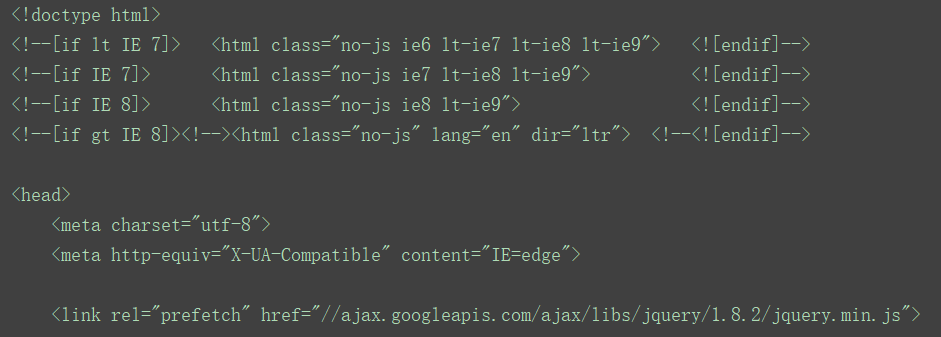
小结:以变量方式传递给urlopen
※ 处理身份验证提示框
实例:
#!/usr/bin/emv python
# -*- coding:utf-8 -*-
# author 7z time:2020/2/11
from urllib.request import HTTPPasswordMgrWithDefaultRealm, HTTPBasicAuthHandler, build_opener
from urllib.error import URLError
username = 'username'
password = 'password'
url = 'http://localhost:5000'
p = HTTPPasswordMgrWithDefaultRealm()
p.add_password(None, url, username, password)
auth_handler = HTTPBasicAuthHandler(p)
opener = build_opener(auth_handler)

try:
    result = opener.open(url)
    html = result.read().decode('utf-8')
    print(html)
except URLError as e:
    print(e.reason)
小结:open()方法打开链接opener发送包含用户名和密码的请求,完成验证
※ Cookies处理
实例:
#!/usr/bin/emv python
# -*- coding:utf-8 -*-
# author 7z time:2020/2/11
import http.cookiejar
import urllib.request
cookie = http.cookiejar.CookieJar()
handle = urllib.request.HTTPCookieProcessor(cookie)
opener = urllib.request.build_opener(handle)
response = opener.open('http://www.baidu.com')
for item in cookie:
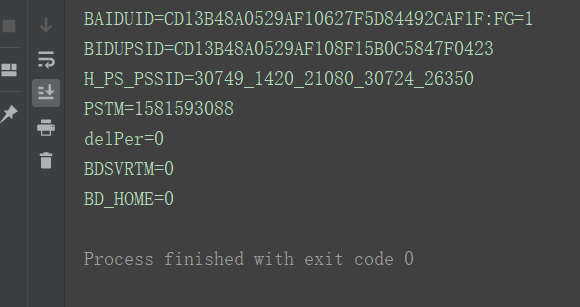
    print(item.name+"="+item.value)
运行结果:
※ 异常处理
URLError
实例:
#!/usr/bin/emv python
# -*- coding:utf-8 -*-
# author 7z time:2020/2/14
from urllib import request,error
try:
    response = request.urlopen('https://cuiqingcai.com/index.htm')
except error.URLError as e:
    print(e.reason)
运行结果:
小结:处理URL异常,并输出异常原因
HTTPError
实例:
#!/usr/bin/emv python
# -*- coding:utf-8 -*-
# author 7z time:2020/2/14
from urllib import request, error
try:
    response = request.urlopen('https://cuiqingcai.com/index.htm')
except error.HTTPError as e:
    print(e.reason, e.code, e.headers, sep='\n')
except error.URLError as e:
    print(e.reason)
else:
    print('Request Successfully')
运行结果:
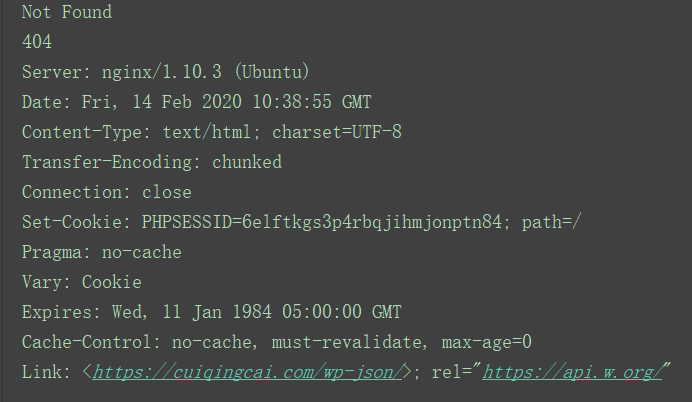
小结:URLError是HTTPError的子类,所以先捕获子类错误,再捕获父类错误
※ 解析链接
urlparse()方法(url识别和分段)
实例:
#!/usr/bin/emv python
# -*- coding:utf-8 -*-
# author 7z time:2020/2/15
from urllib.parse import urlparse
result = urlparse('http://www.baidu.com/index.html;user?id = 5#comment')
print(type(result), result)
运行结果:

小结:urlparse用于解析url链接,scheme为协议类型,netloc为域名,path为访问路径,params为参数,query为查询条件,#后为锚点,定位页面内部下拉位置 ,得出标准链接格式为:scheme://netloc/path/;params?query#fragment
urlunparse()方法(url构造)
实例:
#!/usr/bin/emv python
# -*- coding:utf-8 -*-
# author 7z time:2020/2/15
from urllib.parse import urlunparse
data = ['http', 'www.baidu.com', 'index.html', 'user', 'a = 6', 'comment']
print(urlunparse(data))
运行结果:

小结:与urlparse方法相反,进行构造url。列表长度必须为6
urlsplit()方法(相似于urlparse方法)
此方法只是将params合并到path中
urlunsplit()方法(相似于urlunparse方法)
此方法也是合并url链接,只是传入长度为5
urljoin()方法(两个url拼接)
实例:
#!/usr/bin/emv python
# -*- coding:utf-8 -*-
# author 7z time:2020/2/15
from urllib.parse import urljoin
print(urljoin('http://baidu.com', 'FAQ.html'))
print(urljoin('http://baidu.com', 'https://cuiqingcai.com/FAQ.html'))
print(urljoin('http://baidu.com/about.html', 'https://cuiqingcai.com/FAQ.html'))
print(urljoin('http://baidu.com/about.html', 'https://cuiqingcai.com/FAQ.html?question=2'))
print(urljoin('http://baidu.com?wd=abc', 'https://cuiqingcai.com/index.php'))
print(urljoin('http://baidu.com', '?category=2#comment'))
print(urljoin('http://baidu.com', '?category=2#comment'))
print(urljoin('http://baidu.com#comment', '?category=2'))
运行结果:
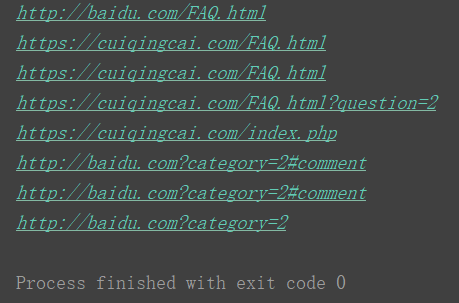
小结:将第二个url链接中缺少部分从第一个url中提取并补齐
※ urlencode()方法(将字典参数转化到url中)
实例:
#!/usr/bin/emv python
# -*- coding:utf-8 -*-
# author 7z time:2020/2/16
from urllib.parse import urlencode
params = {
    'name': 'germey',
    'age': 22
}
base_url = 'http://www.baidu.com?'
url = base_url + urlencode(params)
print(url)
运行结果:

小结:将参数存入字典,需要时加入url中即可
※ parse_qs()方法(与urlencode相反,将get请求转化为字典)
实例:
#!/usr/bin/emv python
# -*- coding:utf-8 -*-
# author 7z time:2020/2/16
from urllib.parse import parse_qs
query = 'name = germey&age=22'
print(parse_qs(query))
运行结果:
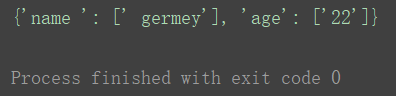
parse_qsl()方法(相似于parse_qs方法,将get请求转化为元组)
※ quote()方法(链接转化为url编码)
实例:
#!/usr/bin/emv python
# -*- coding:utf-8 -*-
# author 7z time:2020/2/16
from urllib.parse import quote
keyword = '壁纸'
url = 'https://www.baidu.com/s?wd=' + quote(keyword)
print(url)
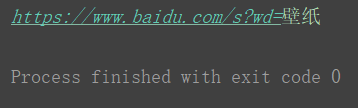
运行结果:

小结:将url中中文进行url编码
※ unquote()方法(将url解码)
实例:
#!/usr/bin/emv python
# -*- coding:utf-8 -*-
# author 7z time:2020/2/16
from urllib.parse import unquote
url = 'https://www.baidu.com/s?wd=%E5%A3%81%E7%BA%B8'
print(unquote(url))
运行结果:
小结:与quote方法相反,进行url解码
※ robot协议(爬虫协议)
robot协议规定网站中哪些页面可以抓取,哪些不可以抓取。通常在网站根目录下robots.txt文板文件,常见写法如下:
样例1:
User-agent:*
Disallow:/
Allow:/public/
User-agent为爬虫名称,*为任何爬取爬虫有效,Disallow为不允许爬取的目录,/为不允许爬取所有页面,Allow一般和Disallow搭配使用,用来约束,/public/为所有页面不允许抓取,只允许抓取public目录
样例2:
User-agent:*
Disallow:/
禁止所有爬虫爬取任何页面
样例3:
User-agent:*
Disallow:
允许所有爬虫爬取任何目录,robots文件留空默认为允许爬取所有目录
样例4:
User-agent:*
Disallow:/private/
Disallow:/tmp/
禁止爬虫爬取某些目录
样例5:
User-agent:WebCrawler
Disallow:
User-agent:*
Disallow:/
只允许一个爬虫访问
※ robotparser类(判断网站是否可以爬虫)
- set_url():设置robots文件链接,通常为根目录。可以在创建对象时直接传入
- read():读取robots文件并进行分析,必须调用此方法或parse方法,否则都会返回false
- parse():解析robots文件
- can_fetch():传入两个参数,一个是user-agent,一个为抓取的url,判读是否可以抓取,返回true或false
- mtime():返回上次抓取和分析的时间
- modified():将当前时间设置为上次抓取和分析的时间。?
实例:
#!/usr/bin/emv python
# -*- coding:utf-8 -*-
# author 7z time:2020/2/16
from urllib.robotparser import RobotFileParser
rp = RobotFileParser()
rp.set_url('https://www.7z7z7z.cn/robots.txt')
rp.read()
print(rp.can_fetch('*', 'https://www.7z7z7z.cn'))
print(rp.mtime())
运行结果:
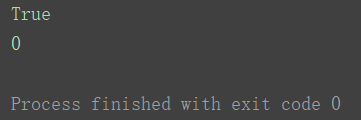
小结:此类判断网站是否可以爬虫
※requests的使用
基本用法
get请求(相似于urlopen)
实例:
#!/usr/bin/emv python
# -*- coding:utf-8 -*-
# author 7z time:2020/2/17
import requests
r = requests.get('https://httpbin.org/get')
print(r.text)
运行结果:
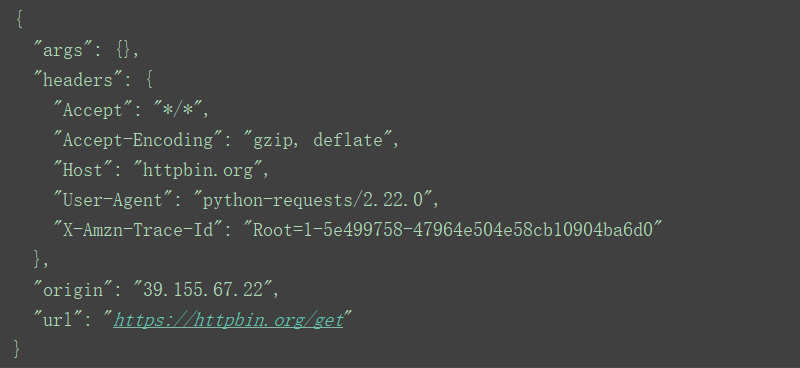
小结:此网址会返回发送者请求信息,这里返回get请求
实例:
#!/usr/bin/emv python
# -*- coding:utf-8 -*-
# author 7z time:2020/2/17
import requests
data = {
    'name': 'germey',
    'age': '22'
}
r = requests.get("http://httpbin.org/get",params=data)
print(r.text)
运行结果:
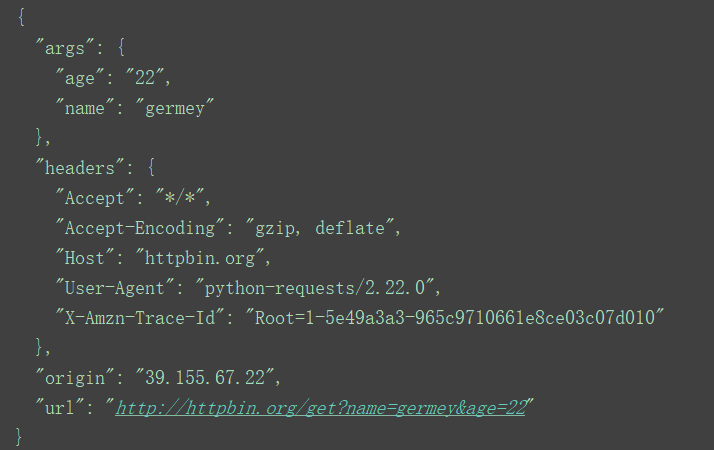
小结:先将参数用字典储存,再通过params构造带参数的链接
抓取二进制数据
实例:
#!/usr/bin/emv python
# -*- coding:utf-8 -*-
# author 7z time:2020/2/17
import requests
r = requests.get("https://github.com/favicon.ico")
with open('favicon.ico', 'wb')as f:
    f.write(r.content)
运行结果:
同级文件夹下创建favicon.ico文件
小结:open方法内第一个参数为文件名,第二个参数代表以二进制形式打开
post请求
实例:
#!/usr/bin/emv python
# -*- coding:utf-8 -*-
# author 7z time:2020/2/17
import requests
data = {
    'name': 'germey',
    'age': '22'
}
r = requests.post("http://httpbin.org/post", data = data)
print(r.text)
运行结果:

![缓存[-128-127]数字](https://www.7z7z7z.cn/wp-content/themes/begin/prune.php?src=https://www.7z7z7z.cn/wp-content/uploads/2020/06/image.png&w=280&h=210&a=&zc=1)